AI Integration
Client MCP
我们在 client 提供了一套丰富的 插件脚本生态---mal,几乎可以调用 IoM 的全部能力。我们基于 mal 解释器和 client 对 AI 封装了一套新的 MCP (Model Context Protocol),可以让 AI 通过 MCP 完整的使用我们的 client 的所有功能。
启动 MCP 服务
通过 IoM client 可以直接启动 MCP 服务:
./client --mcp 127.0.0.1:4999
这将在本地 127.0.0.1:4999 启动一个 MCP 服务器,任意支持 MCP 协议的 AI Agent 都可以连接并使用 IoM 的全部功能。
配置 AI Agent
任何支持 MCP 协议的 AI Agent 都可以通过标准 MCP 客户端连接到 IoM 服务:
- 自定义 Agent: 使用 MCP SDK 连接到
127.0.0.1:4999 - LangChain: 通过 MCP 工具集成
- AutoGPT: 配置 MCP 插件
所有 IoM client 支持的功能都可以通过 MCP 协议暴露给 AI 使用。
使用示例
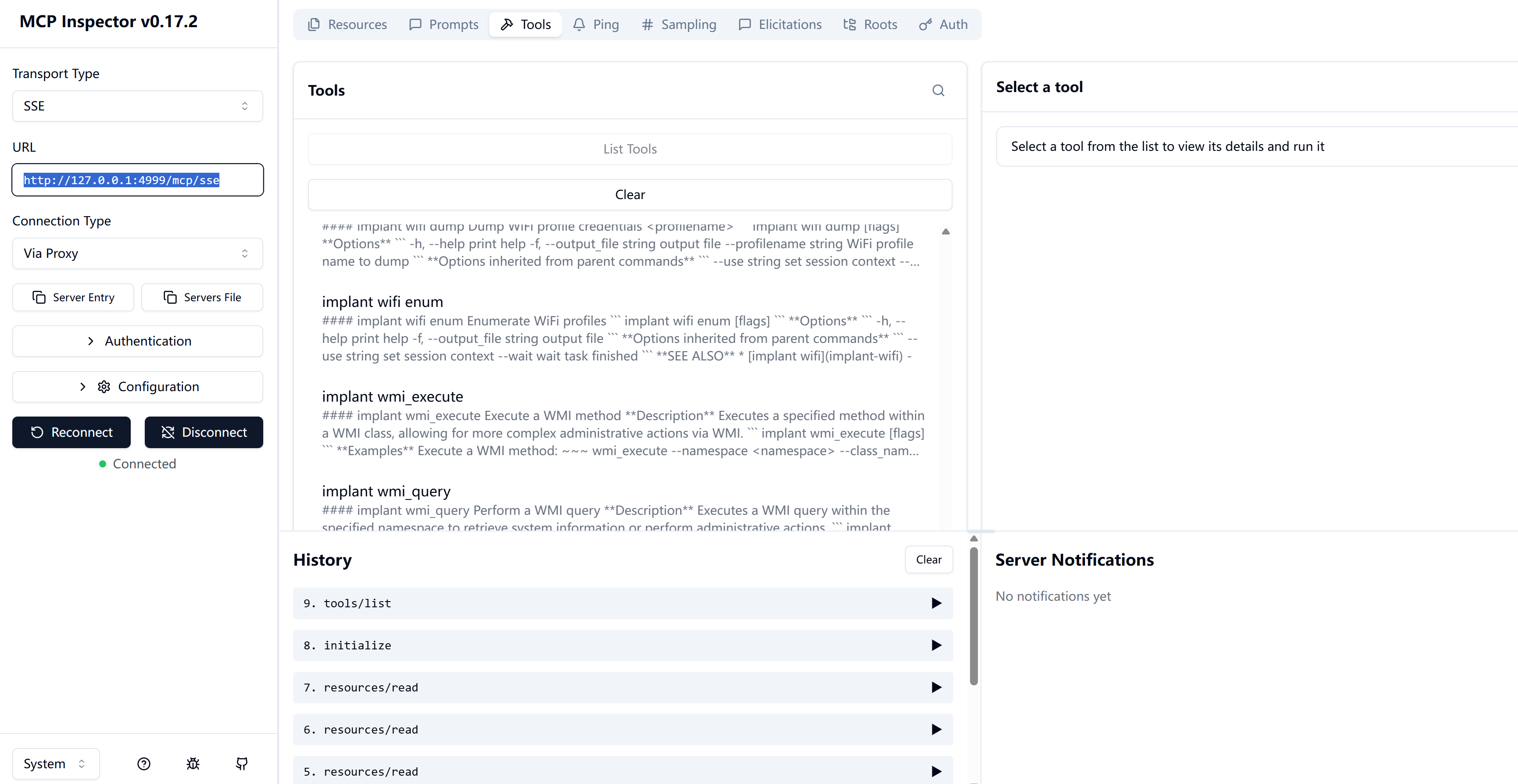
Claude Desktop 配置
在 Claude Desktop 的配置文件中添加 MCP 服务器:
{
  "mcpServers": {
    "IoM": {
      "type": "sse",
      "url": "http://127.0.0.1:4999/mcp/sse"
    }
  }
}
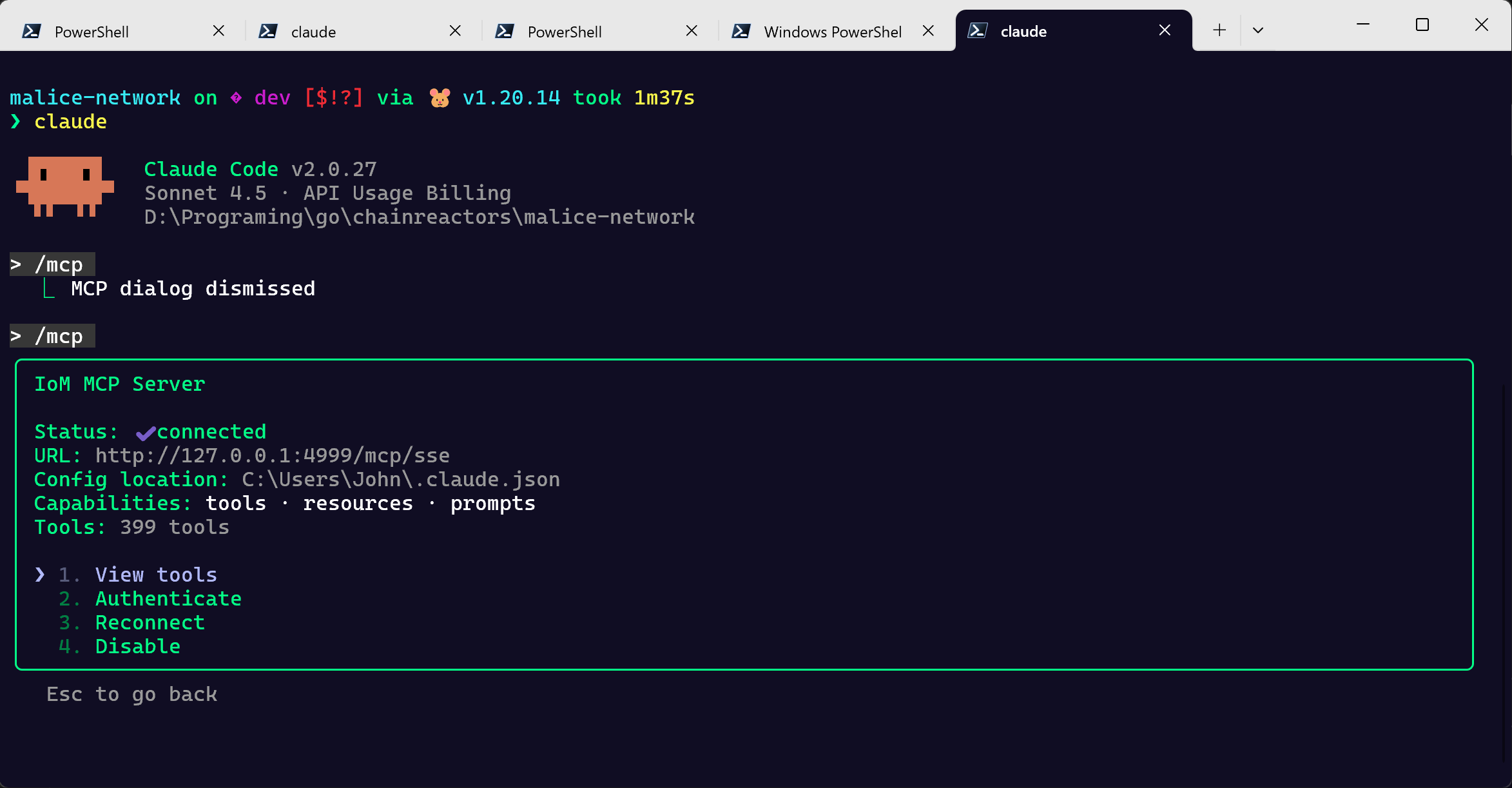
使用场景
- 智能渗透测试: AI 自主分析目标并执行渗透测试
- 自动化响应: 结合 AI 决策和 IoM 执行能力
- 交互式操作: 通过自然语言控制 C2 框架
- 安全研究: AI 辅助的漏洞挖掘和利用
Python/TypeScript SDK
通过 Python/TypeScript SDK,我们可以将 IoM 的 RPC 封装为 AI Tool,实现 AI 与 C2 框架的深度集成。
与 AI 集成
安装
git clone https://github.com/chainreactors/malice-network.git
cd malice-network/sdk/python
pip install -e .
python generate.py
基础用法
import asyncio
from IoM import MaliceClient
from IoM.proto.modulepb import Request

async def execute_command(command: str) -> str:
    """在远程会话上执行命令"""
    client = MaliceClient.from_config_file("client.auth")

    async with client:
        await client.update_sessions()
        session_id = list(client.cached_sessions.keys())[0]
        session = await client.sessions.get_session(session_id)

        task = await session.execute(Request(name="execute", input=command))
        result = await client.wait_task_finish(task)
        return result.spite.response.output
集成到 AI 框架
作为 LangChain Tool
from langchain.tools import Tool
from IoM import MaliceClient
from IoM.proto.modulepb import Request

class IoMTool:
    def __init__(self, auth_file: str):
        self.client = MaliceClient.from_config_file(auth_file)
        self.session = None

    async def setup(self):
        """初始化会话"""
        await self.client.update_sessions()
        session_id = list(self.client.cached_sessions.keys())[0]
        self.session = await self.client.sessions.get_session(session_id)

    async def execute_command(self, command: str) -> str:
        """执行命令并返回结果"""
        task = await self.session.execute(Request(
            name="execute",
            input=command
        ))
        result = await self.client.wait_task_finish(task)
        return result.spite.response.output

# 创建 LangChain Tool
iom_tool = IoMTool("client.auth")

tool = Tool(
    name="IoM_Execute",
    func=lambda cmd: asyncio.run(iom_tool.execute_command(cmd)),
    description="在远程会话上执行命令"
)
作为 OpenAI Function
import openai
from IoM import MaliceClient

# 定义函数描述
functions = [
    {
        "name": "execute_command",
        "description": "在远程目标上执行系统命令",
        "parameters": {
            "type": "object",
            "properties": {
                "command": {
                    "type": "string",
                    "description": "要执行的命令"
                }
            },
            "required": ["command"]
        }
    }
]

# 实现函数
async def execute_command(command: str):
    client = MaliceClient.from_config_file("client.auth")
    async with client:
        await client.update_sessions()
        session_id = list(client.cached_sessions.keys())[0]
        session = await client.sessions.get_session(session_id)

        task = await session.execute(Request(name="execute", input=command))
        result = await client.wait_task_finish(task)
        return result.spite.response.output

# 使用 OpenAI
response = openai.ChatCompletion.create(
    model="gpt-4",
    messages=[{"role": "user", "content": "列出 /tmp 目录的内容"}],
    functions=functions,
    function_call="auto"
)
作为 MCP Server
from mcp.server import Server
from IoM import MaliceClient

app = Server("iom-mcp-server")

@app.call_tool()
async def execute_iom_command(command: str) -> str:
    """通过 MCP 执行 IoM 命令"""
    client = MaliceClient.from_config_file("client.auth")
    async with client:
        await client.update_sessions()
        session_id = list(client.cached_sessions.keys())[0]
        session = await client.sessions.get_session(session_id)

        task = await session.execute(Request(name="execute", input=command))
        result = await client.wait_task_finish(task)
        return result.spite.response.output