模块管理
模块管理
模块操作
通过加载模块扩展Implant的功能,按需启用特定后渗透能力。
列出模块
Bash
显示当前已加载的所有功能模块,包括模块名称、功能描述等信息。
list_module
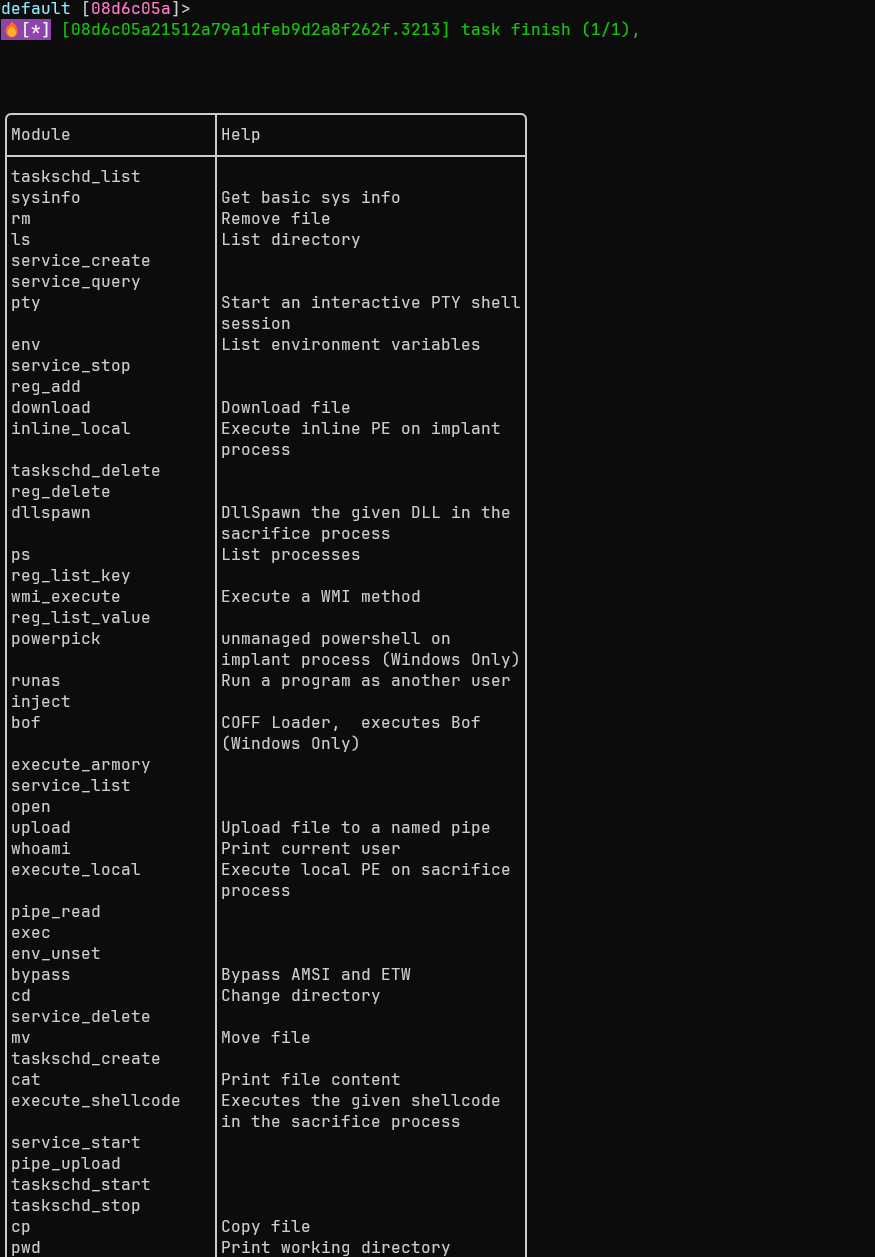
加载模块
Bash
加载新的功能模块,扩展Implant的操作能力。
load_module [module_file] [flags]
-
以下选项中至少需要指定一个。
-
--artifact、--modules、--3rd三类选项均通过服务端获取模块,其中:-
--artifact直接使用服务端已编译好的产物; -
--modules与--3rd会在请求时由服务端即时编译并下载到客户端加载。
-
-
--path提供了额外的本地打包加载方式。
选项:
--path string: 模块文件的本地路径--artifact string: 使用服务端已有的artifact module 加载--bundle string: 加载指定名称的模块捆绑包--modules string: 指定模块列表(如 basic,extend)--3rd string: 加载第三方开发的模块
示例:
Bash
# 从指定路径加载模块
load_module --path sys.dll

# 基于服务端已编译好的 artifact 进行加载
load_module --artifact <artifact_name>

# 加载指定模块
load_module --modules execute_dll,sys_full

# 加载第三方插件(目前支持rem和curl)
load_modules --3rd rem

# 查看加载的模块
list_module
刷新模块
Bash
刷新当前模块列表,同步最新的模块状态(如模块更新或配置变更)。
refresh_module
清除模块
Bash
卸载所有已加载的模块,释放资源并恢复Implant的基础功能状态。
clear
插件管理
加载可执行文件作为插件,实现重复调用与功能扩展。
加载插件
Bash
将可执行文件加载到Implant内存中,供后续重复调用,避免多次传输文件。
load_addon [flags]
选项:
-
-n, --name string: 插件的别名(便于后续调用) -
-m, --module string: 插件所属的模块类型
示例:
Bash
# 使用默认名称加载插件
load_addon gogo.exe
# 指定别名和模块类型
load_addon gogo.exe -n gogo -m execute_exe
列出插件
Bash
显示所有已加载的插件,包括插件名称、路径、模块类型等信息;指定插件名称时,显示该插件的详细信息。
list_addon [addon]
执行插件
Bash
执行已加载的插件,支持多种安全与隐蔽性配置。
execute_addon [flags]
选项:
-
-a, --argue string: 欺骗进程参数(隐藏真实操作意图) -
-b, --block_dll: 阻止非微软签名的DLL注入到进程中 -
--etw: 禁用ETW(Event Tracing for Windows)跟踪 -
-p, --ppid uint32: 伪造父进程ID(提升隐蔽性) -
-n, --process string: 自定义执行插件的进程路径 -
-q, --quiet: 禁用输出信息(减少操作痕迹) -
-t, --timeout uint32: 执行超时时间(单位:秒)
示例:
Bash
# 执行不带参数的插件
execute_addon httpx 1.1.1.1
# 执行带参数的插件
execute_addon gogo.exe -- -i 127.0.0.1 -p http
执行带参数命令
当插件参数以短横线(-)开头时,必须用 -- 分隔,否则控制台会误判参数归属,导致插件执行失败或功能异常。